Start with the servings you need
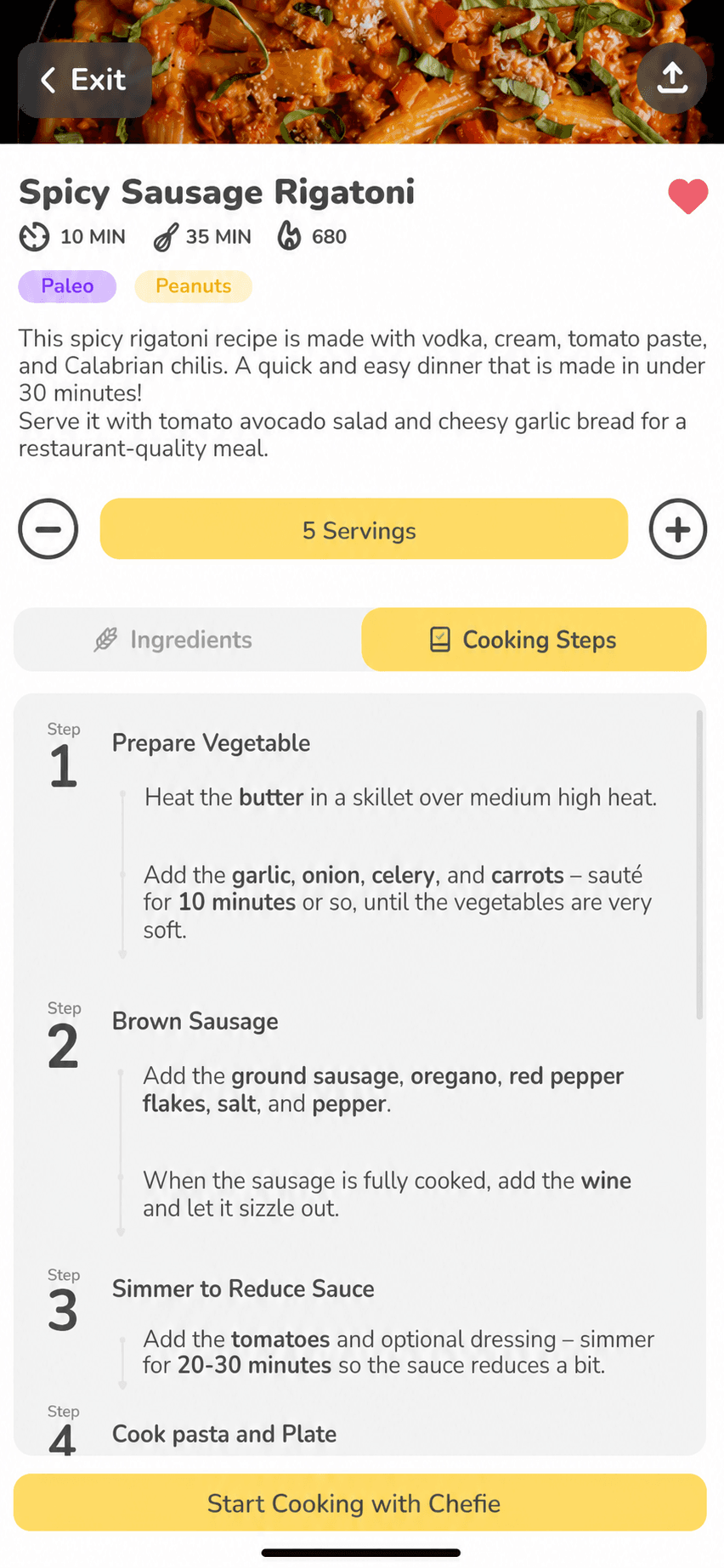
Choose the recipe and serving count before cooking. Ingredient amounts update across the guide so the step and ingredient list agree.
Interactive recipe guide
Cook through one focused step at a time. Ingredient amounts stay bold and adjust with servings, multiple timers remain visible, and optional voice controls help when your hands are busy.
How it works
Choose the recipe and serving count before cooking. Ingredient amounts update across the guide so the step and ingredient list agree.
Each step keeps its instructions, ingredients, and relevant timer close together, with straightforward Back and Next controls.
Use Chefie for a substitution or cooking question, control the guide by voice when enabled, and return to the same active step.
Built for real kitchens
Whenever a structured ingredient appears in a step, its amount travels with it and remains easy to spot.
Start multiple named timers, see which step created each one, and pause, resume, add time, restart, or cancel.
Chefie can listen for hands-free help, but every cooking action remains available on screen and mute stops audio responses.
An active guide can resume at the step you left, useful when the screen locks or cooking gets interrupted.
Good to know
No. Voice is optional. You can navigate, manage timers, and ask for help using the on-screen controls.
Yes. Structured ingredient amounts in both the ingredient list and cooking steps scale from the recipe serving count.
Yes. The guide supports multiple named timers so overlapping parts of a recipe stay understandable.
Hello Chef keeps the active guide and current step so you can continue instead of restarting the recipe.

Dinner, figured out